Google Ads not converting? 7 fixes I make in the first two weeks
Getting clicks but no conversions from Google Ads? Find out if it's a tracking problem or a real one, then work through the 7 fixes I make first in every account.
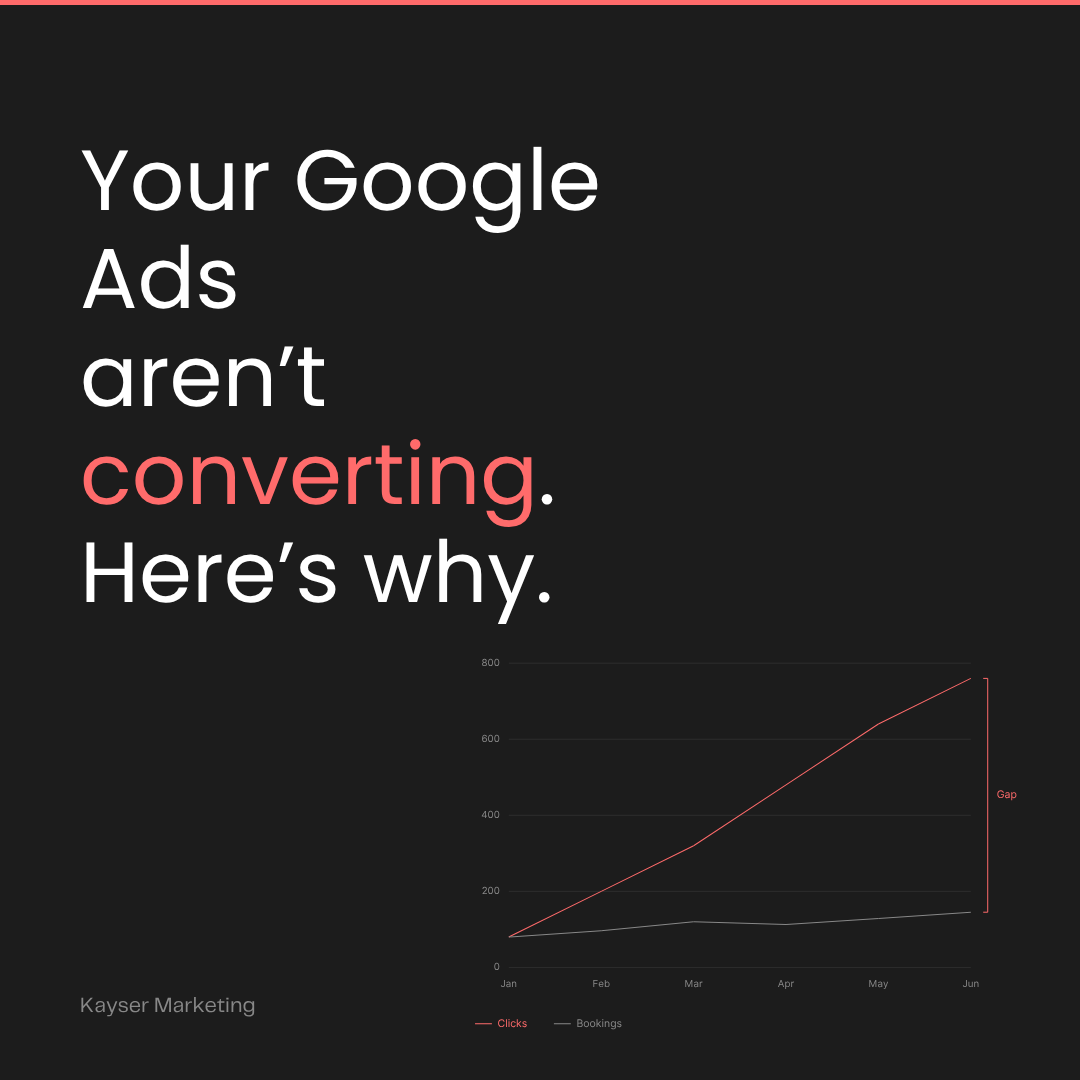
You're spending money. Clicks are coming in. The phone isn't ringing.
Clicks but no conversions is the most common problem I see when a business hands me their Google Ads account. And here's the good news: it's almost never a budget problem. It's a setup problem with the campaigns that are running. The traffic is there. The campaign just isn't built to turn it into bookings.
Below is the quick check I run first, then the seven fixes I make in the first week or two of taking over an account. Most of them are free. All of them compound. Together, they're usually the difference between "ads don't work for us" and "one booking covers three months of spend."
First: is it a tracking problem or a real problem?
Before you change anything, find out which kind of "not converting" you have. There are three, and they need very different fixes.
Ads shows zero conversions, but you did get calls or bookings. Your campaigns are working and your tracking isn't. Google can't see the results, so it can't learn from them. Start with fix #1.
Ads shows plenty of conversions, but you can't find the customers. Your tracking is counting the wrong things, like page views, button clicks or the same form twice. The numbers look great and mean nothing. Also fix #1.
Ads shows zero conversions and you really did get nothing. This is a true conversion problem. The wrong people are clicking, or the right people are landing somewhere that doesn't convince them. Fixes #2 through #7 are where you'll find it.
To tell which one you're in, pull last month's conversions from Google Ads and put them next to what actually happened: calls you answered, forms in your inbox, bookings in your calendar. Ten minutes with both lists usually settles it.
How long should you wait before deciding? My rule of thumb for a local service business: if you've had 50 to 100 clicks from relevant searches and not one call, form or booking, stop waiting. More time won't fix it. Something in the list below is broken.
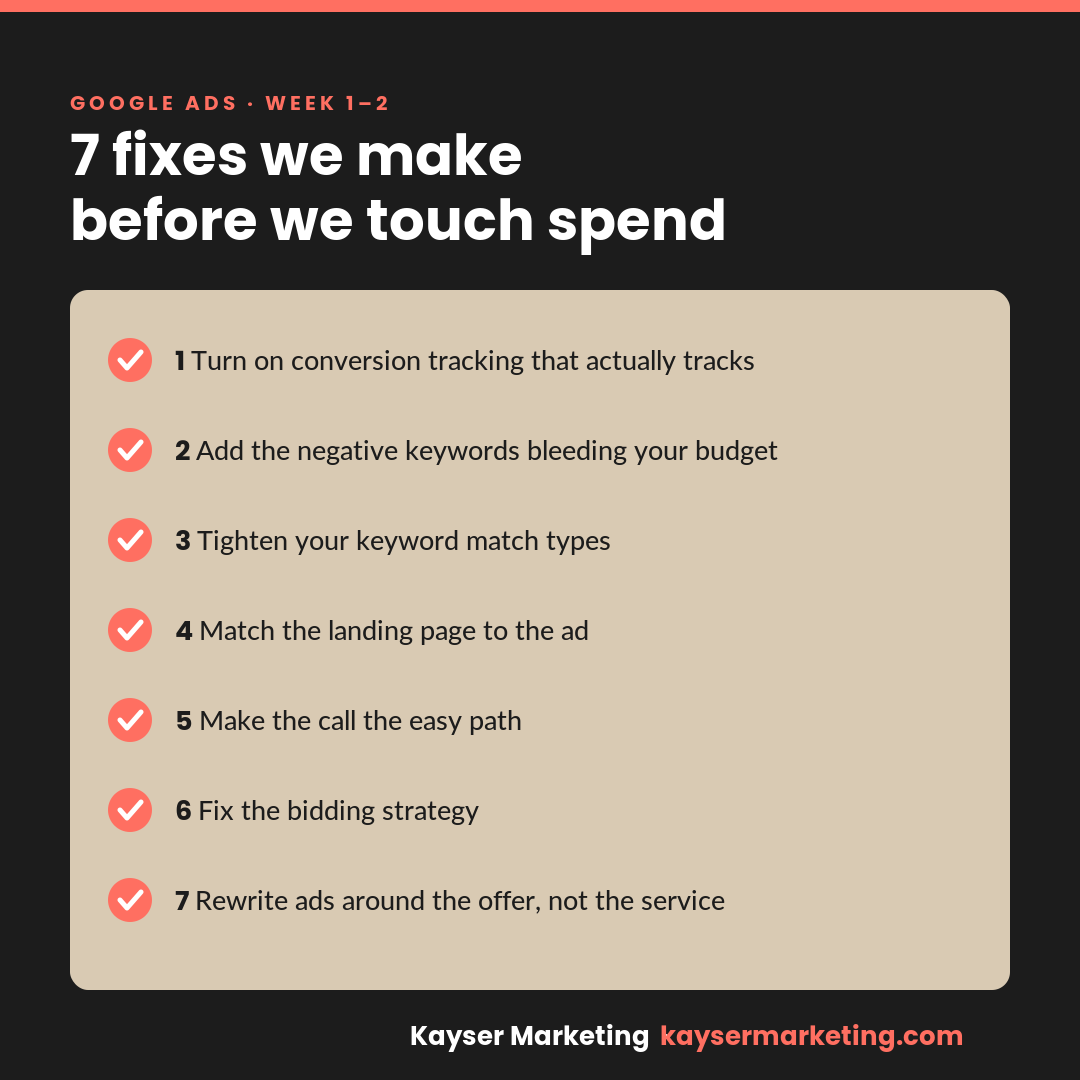
1. I turn on conversion tracking that actually tracks
This is the first thing I check, and it's wrong more often than you'd think. If Google can't see which clicks turn into calls, form fills or bookings, it's flying blind with your ad spend. You end up optimizing for clicks instead of customers.
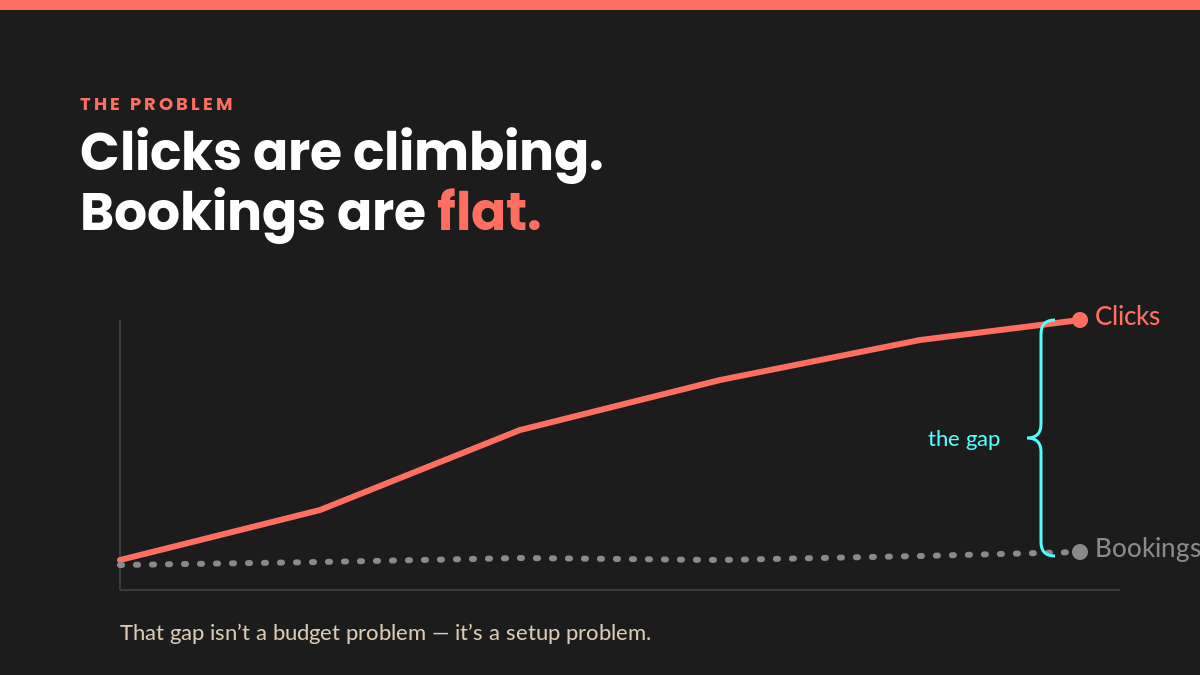
Half the accounts I inherit are either tracking nothing, tracking the wrong thing (like every page view), or double-counting. A common one: a page view or a "contact page visit" set as a primary conversion, sitting right next to the real form submission. Google treats them as equally valuable and happily optimizes toward the cheap one.
I fix the tag, define what a real conversion is for your business, mark only those as primary, and confirm each one fires with a test. You can't improve what you can't measure. This one fix changes everything downstream. (If you want to see those numbers in one place every week, here's why every local business needs a marketing dashboard.)
2. I add the negative keywords bleeding your budget
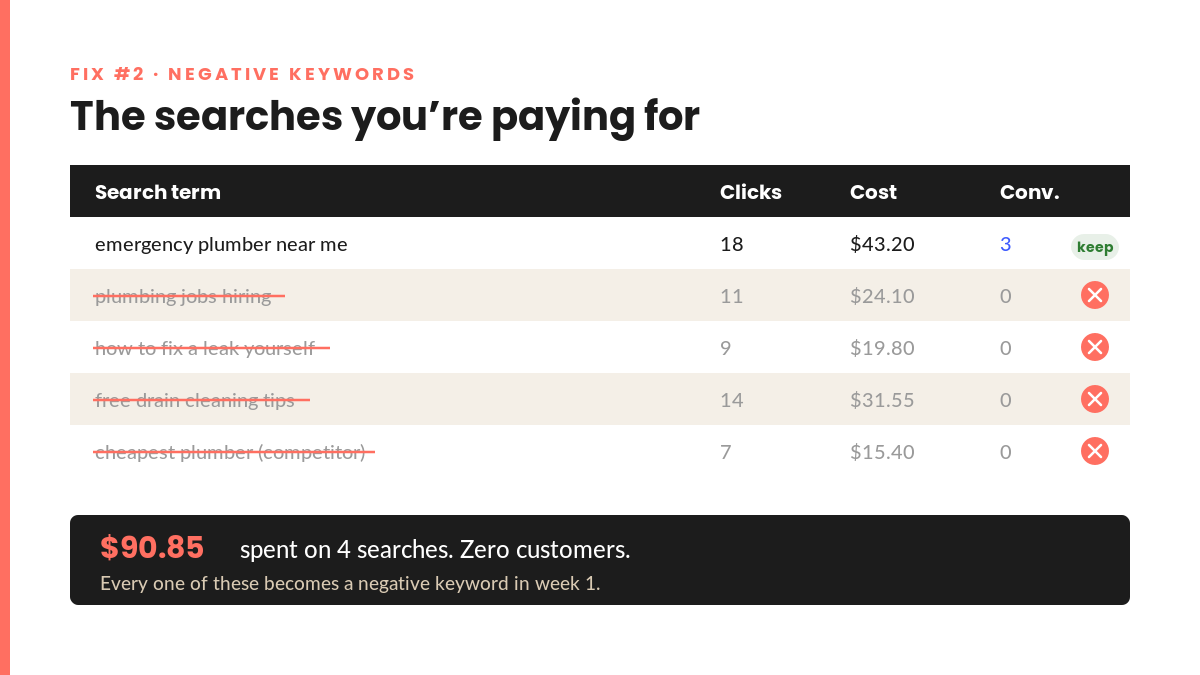
Open the search terms report on almost any account, and you'll find money going to searches you'd never want to pay for: "free," "jobs," "DIY," "cheapest," competitors' names, or services you don't even offer.
Every one of those clicks costs you and converts nobody. I go through the report line by line and build a negative keyword list, so your budget goes to people actually looking to buy what you sell. It's tedious. It's also one of the fastest ways to lower your cost per lead.
3. I tighten match types and campaign settings
Broad match is Google's default, and it's the default for a reason: it spends your money the fastest. Left unchecked, it shows your ad to people whose searches are only loosely related to what you do.
As soon as you start getting clicks on the keywords that matter most to you, move your best keywords to phrase and exact match so you're paying to appear in front of intent, not adjacency. Fewer wasted impressions, higher-quality clicks, better cost per booking.
While I'm in there, I check three settings that quietly send budget to the wrong people:
- Location targeting. The default includes people "interested in" your area, not just people in it. For a local business, that can mean paying for clicks from people three provinces away. I switch it to people in or regularly in your service area.
- Display Network. New Search campaigns often have it switched on. It puts your text ad on random websites and apps, where clicks are cheap and rarely turn into anything. I turn it off.
- Search partners. Sometimes worth keeping, often not. I check the numbers and decide.
4. I match the landing page to the ad
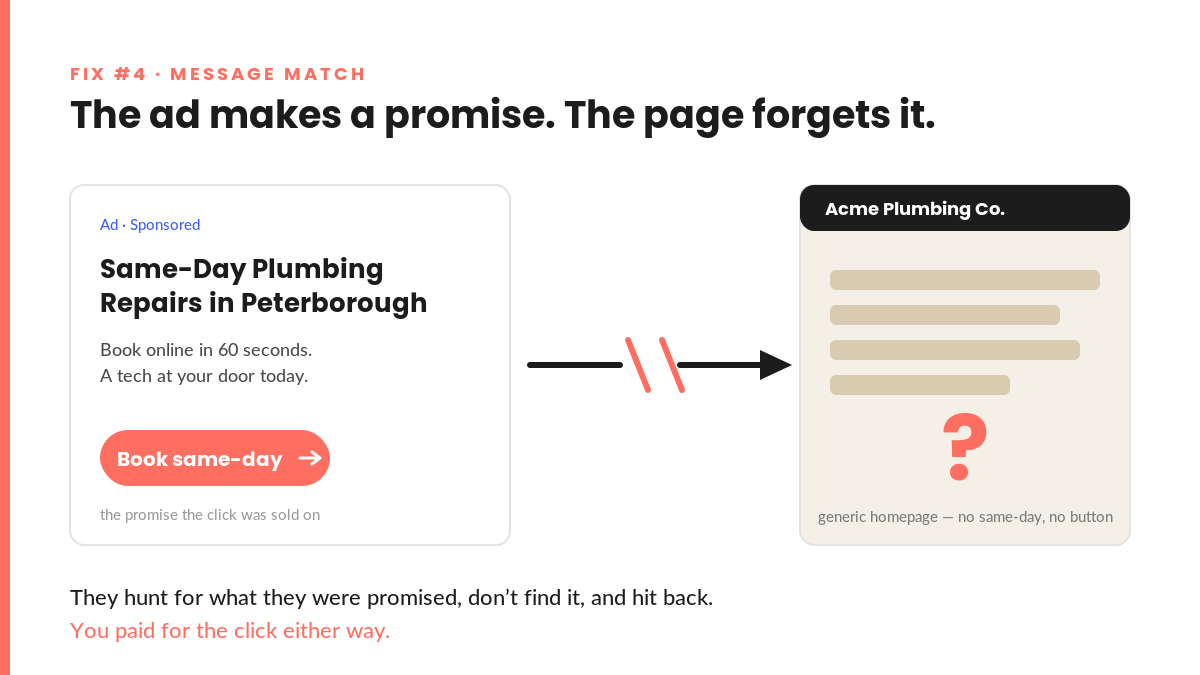
Here's a scenario I see constantly: the ad promises "same-day appointments," someone clicks, and they land on your homepage. Now they have to hunt for what they were promised. Most won't. They'll hit back, and you'll pay for a visit that went nowhere.
The ad and the page have to make the same promise. I point each ad to the page that delivers on it, cut the distractions, and make the next step obvious. Same traffic, more of it converting.
If you suspect the page is the problem, run it through my Google Ads landing page checklist. If the whole site is leaking visitors, start with why your website isn't turning visitors into customers.
5. I make the call the easy path
For a lot of local businesses, the phone is the sale. But if the ad doesn't have a call button and the number isn't clickable on mobile, you're forcing people to copy, switch apps and dial. Every one of those steps is a place they drop off.
I add call assets, turn on call tracking so those calls show up as conversions, and make phoning you a one-tap action. Then you can finally see which campaigns drive the phone calls, not just the clicks.
6. I fix the bidding strategy
New accounts often default to "Maximize Clicks." That does exactly what it says. It buys clicks, whether or not they ever become customers. It's fine as a short-term goal to get the ads going, but it's the wrong goal for turning clicks into paying customers.
Once conversion tracking is solid (fix #1, which is why it comes first), I switch to a strategy that bids for conversions, not traffic. Now Google's algorithm is working toward the thing you actually care about: bookings, calls and leads.
The order matters. Switching to conversion bidding while your tracking counts page views just teaches Google to buy more page views.
7. I rewrite ads around the offer, not the service
Most local ads read like a business card: name, service, "call today." That doesn't give anyone a reason to pick you over the four other ads on the page.
I lead with the result or the offer: the appointment availability, the guarantee, the thing that makes you the obvious choice. Every ad gets one clear call to action. Better ads earn more clicks at the same budget, and Google rewards them with a lower cost per click on top of it.
What this means for you
None of these are exotic changes. There's no secret tactic and no bigger budget required. It's the stuff that's easy to skip when you're running a business and doing your own ads on the side.
That's the whole point. When Google Ads "doesn't work" for a business, it's usually because the account was set up once and left alone. Fix these seven things and the same spend starts producing very different results.
It's the same groundwork behind the results I've seen. For Durham College's Academic Upgrading program, the campaigns outperformed other colleges and the program filled to capacity. Or as David Hecht of Hecht & Associates put it: "We've quadrupled our leads with a realistic ad budget."
One more thing worth checking if you're in the trades: you might not need to fix your Search campaign so much as add a second format alongside it. I compare the options in Local Services Ads vs Google Search Ads.
Frequently asked questions
Why am I getting clicks but no conversions on Google Ads?
Usually one of three things. Your conversion tracking is broken, so conversions are happening but Google can't see them. The wrong people are clicking, because of broad match keywords, missing negatives or loose location settings. Or the right people are landing on a page that doesn't match the ad. Check them in that order.
How do I know if my Google Ads conversion tracking is working?
Compare it against reality. Count the calls, forms and bookings you actually got last month and put that next to the conversions column in Google Ads. If the numbers are far apart in either direction, the tracking needs fixing. Then submit a test form and make a test call, and confirm each one shows up as a conversion within a day or so.
Should I raise my budget if my Google Ads aren't converting?
No. More budget sends more traffic through the same leaks. Fix tracking, targeting and the landing page first, then scale what's working. If you're not sure what the right budget is in the first place, here's how much a small business should spend on Google Ads.
Can I fix this myself?
Yes. Every fix on this list can be done inside your own account. The hard part is knowing which one is costing you the most, and that's what the Google Ads Powerups audit is for. For $147 you get a plain-English, prioritized list of what to fix first, and you can do the work yourself or hand it off.
Want me to look at your account? Get in touch and I'll tell you which of these seven are costing you right now.